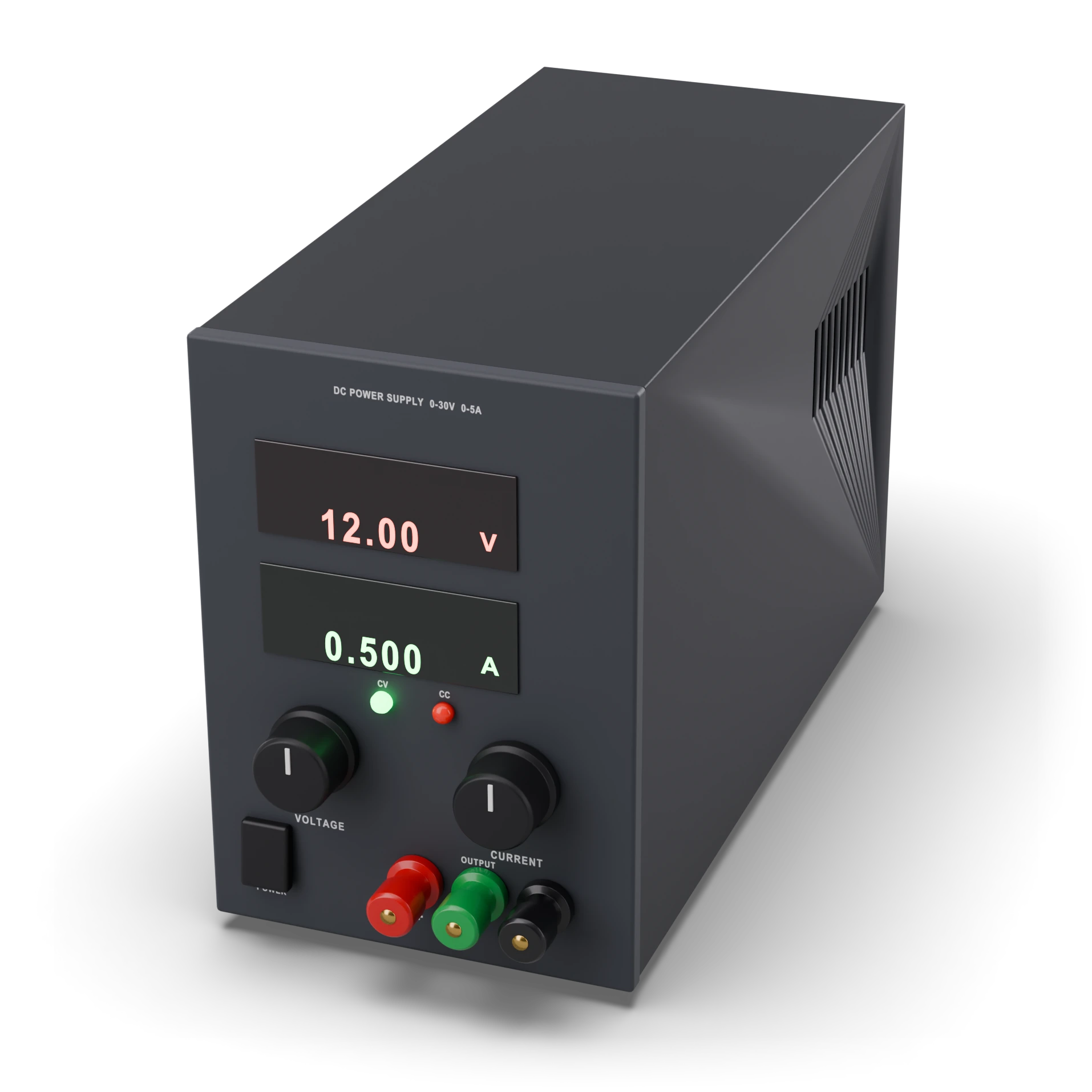
- 1Voltage display (V)
- 2Current display (A)
- 3Voltage adjustment (CV)
- 4Current limit adjustment (CC)
- 5On / off switch
- 6Output terminals (+ red, − black) · green: chassis ground
Benchtop box; displays, knobs and terminals on the front panel
Lab power supply
An adjustable water tap that gives the voltage you want; you set the pressure.
Powers the circuit safely; thanks to the current limit, parts do not burn if there is a fault.
In repair shops and school labs; the adjustable big brother of a phone charger.
A bench box with a display, buttons and red and black output sockets on the front.
Set the voltage and the current limit first, then connect; do not touch the positive and negative outputs together.
A bench power supply where you can set the output voltage and the current limit. Thanks to the current limit, it restricts the current in a short circuit or wrong connection and protects the parts. Its display shows the instantaneous voltage and current.
IEC 60617: the drawing style used in Türkiye and Europe.
- Voltage range
- 0–30 V (adjustable)
- Current limit
- 0–3 A or 0–5 A
- CV mode
- Keeps the voltage constant
- CC mode
- Holds the current constant once the limit is reached
- Output
- Floating (not connected to chassis ground)
- Warning
- Runs on mains; don't open it, mains is out of scope
- Example part
- 30 V 5 A single-channel adjustable supply
Test with a multimeter
Test whether this part is good with the multimeter on the measurement screen.
Take a measurement