USB-C Li-ion charger board
Low voltage · safeSingle-cell charge and protection board · Level 2 / 5
Educational content · Awaiting expert review.
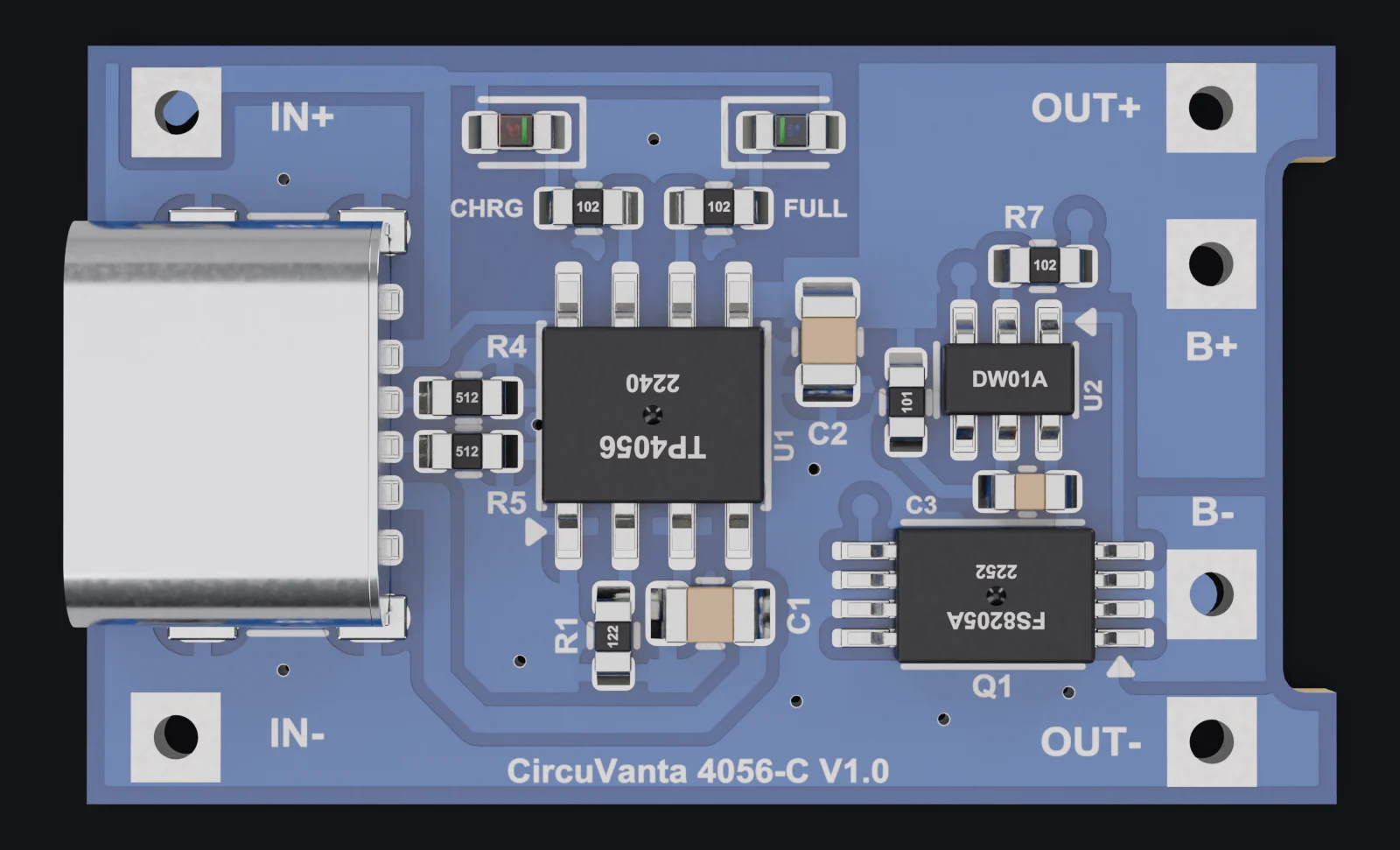
- J1 · USB-C socket
- R4 · CC1 resistor
- R5 · CC2 resistor
- TP1 · IN+ hole
- TP2 · IN- hole
The board photo could not be loaded. You can pick the zone names below.
USB-C input
- In short
- Charge power enters the board here: through the USB-C socket or the IN+ and IN- holes.
- Analogy
- Like an ID card: over a cable with USB-C at both ends, two small resistors tell the connected charger "I’m a device that takes power"; only then does such a charger supply power. A cable with a USB-A end supplies power without checking this ID.
- Where to look
- The silver USB-C socket on the left and the two small resistors right next to it (R4, R5).
Measure · De-energized measurement · Continuity
First disconnect the USB cable, the cell and the circuit at the output. Set the multimeter to continuity mode. Touch the red probe to the VBUS terminal (A9) of the USB socket and the black probe to the IN+ hole (TP1). If you hear a beep, the input path is intact.
Expected display: 0.0 Ωbeep heard
J1:A9 ↔ TP1:1
You expect continuity along the same VBUS line; a broken line shows an open circuit.
More
- What it does
- Carries the USB supply to the charging circuit; the CC resistors announce the power sink role.
- How to recognize it
- The metal socket on the left and the R4/R5 beside it.
- Why here
- Makes the source recognize the board as a power sink.
- If it fails
- If the socket or input path breaks, the board gets no power.