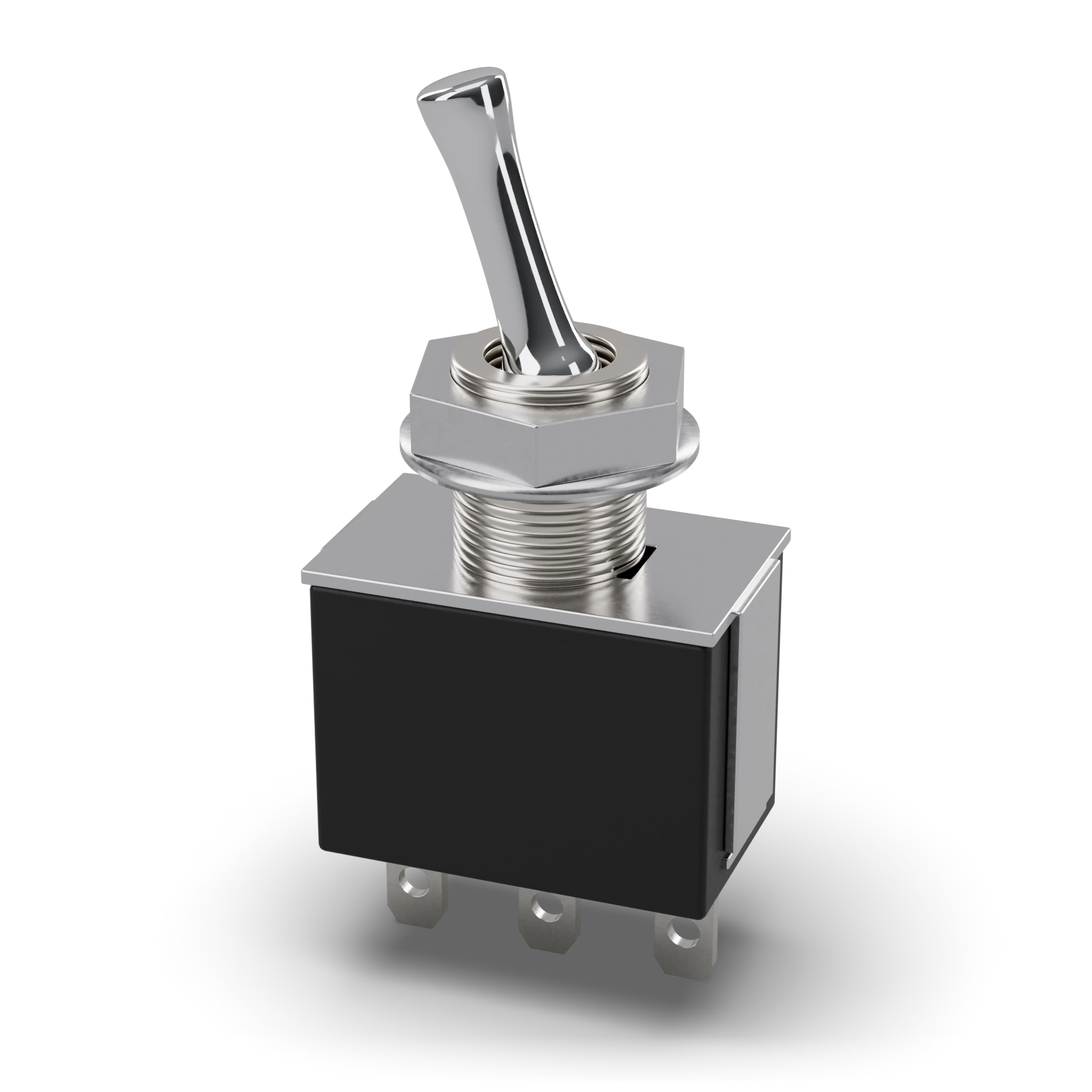
Lever (chrome)Nut and washerThreaded bushing · M6 × 0.75BodySolder terminals (1-2-3) · 4.7 mm spacing
- 1Lever (chrome)
- 2Nut and washer
- 3Threaded bushing · M6 × 0.75
- 4Body
- 5Solder terminals (1-2-3) · 4.7 mm spacing
Metal lever, threaded neck, nut and washer, three solder terminals at the bottom
MTS-102: small body, M6 threaded neck
MTS-102: small body, M6 threaded neck
Toggle switch
In simple terms
What is this?
A lever switch you flip up or down; like a light switch.
What is it for?
Switches the device clearly on and off; its position is visible from outside.
Where do you see it?
The on/off lever of old radios, guitar amps and devices.
How do you spot it?
A short arm sticks out of the metal body and is fixed to the panel with a nut; three terminals at the back.
Caution:
Do not exceed the current limit on the label; at a very large load its contacts burn.
Technical definition
A latching switch operated by moving a lever up or down. A nut fixes it to a panel; its position is clear outside. SPST switches on-off; SPDT selects between two paths.
TypeSPDT · SPST
CurrentA few A
MountingPanel (6 mm hole)
Schematic symbol IEC and ANSI differ
IEC 60617: the drawing style used in Türkiye and Europe.
Pins 3
1Outer terminal 1With the lever down it connects to the common terminal1
2Common terminal (middle)Source or load goes hereCOM
3Outer terminal 3With the lever up it connects to the common terminal3
Features typical
- Type
- SPDT, 2 positions (ON-ON)
- Contact rating
- 6 A 125 V AC · 3 A 250 V AC
- Mounting hole
- 6 mm
- Operation
- Latching
- Warning
- Mains voltage is outside this app's scope
- Example part
- MTS-102 (SPDT, 2 positions)
Common mistakes
Confusing the lever direction with the connectionWith the lever up the common terminal is usually connected to the lower terminal. Check with the multimeter’s continuity mode.
Melting the body while solderingA pin heated for too long softens the plastic body and the contact shifts. Make short, clean solder joints.
Test with a multimeter
Test whether this part is good with the multimeter on the measurement screen.
Take a measurementWhere it is used
Device main switchChoosing between two modesSwitching a light or fan on from the panel
Related lessons