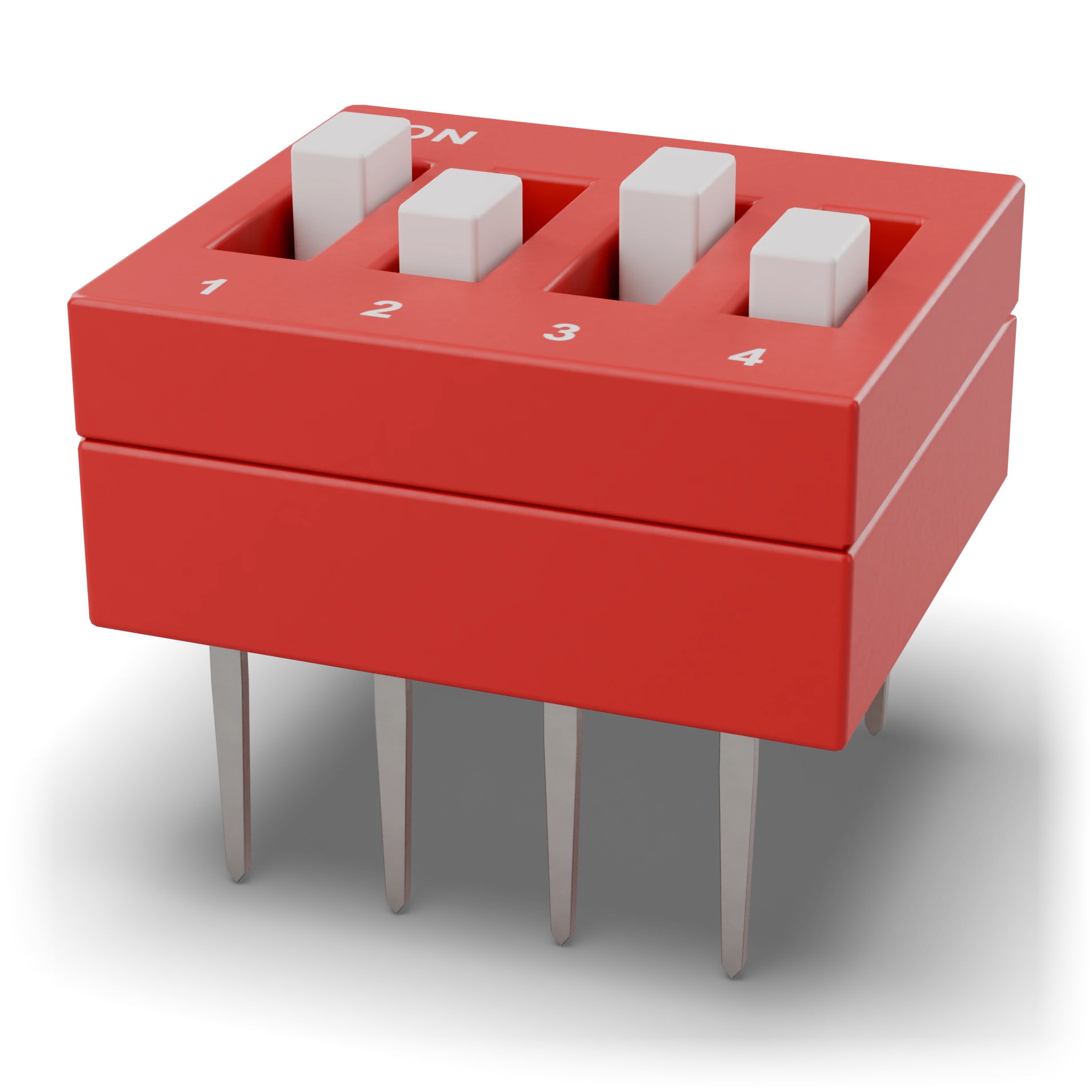
ON label (the on side)Sliders (1-4) · 1 and 3 in the ON positionBody coverPins (DIP-8) · 2.54 × 7.62 mm
- 1ON label (the on side)
- 2Sliders (1-4) · 1 and 3 in the ON position
- 3Body cover
- 4Pins (DIP-8) · 2.54 × 7.62 mm
Red or blue DIP body, white sliders side by side, “ON” text and numbers
Pin pitch 2.54 mm, row spacing 7.62 mm
Pin pitch 2.54 mm, row spacing 7.62 mm
DIP switch
In simple terms
What is this?
Tiny switches lined up side by side; each one is a separate yes or no.
What is it for?
Lets you choose settings like the address or mode on the board with the tip of a pen.
Where do you see it?
On the boards of old devices and arcade machines.
How do you spot it?
Rectangular body with two rows of pins; on top are small sliders in a row and the word ON.
Caution:
Flip it gently with a pen; don't get the ON side wrong when reading.
Technical definition
These are small switches lined up in a DIP chip body. Each switch opens and closes independently, and the on position is usually marked ON. Settings rarely change, so they are flipped with a pen tip.
Position4 · 8
Range2.54 mm
CurrentSignal level
Schematic symbol Same in IEC and ANSI
IEC 60617: the drawing style used in Türkiye and Europe.
Pins 3
1Pins in one rowOne end of each switch (1–8)1–8
2Legs on the opposite rowThe other end of the opposite switch (9–16)9–16
3ON positionWith the slider on the ON side, the two opposite pins are connectedON
Features typical
- Number of positions
- 1–12 (4 and 8 common)
- Type
- Every position is SPST
- Switching rating
- Signal level (≈25 mA)
- Pin pitch
- 2.54 mm
- Between rows
- 7.62 mm (breadboard-compatible)
- Example part
- 8-position DIP switch
Common mistakes
Passing load currentA DIP switch is for setting signals. Do not switch an LED group or a motor directly with it.
Forgetting the pull-upDo not leave inputs floating with the switch open. Use a pull-up or pull-down resistor on each line; resistor arrays are ideal.
Test with a multimeter
Test whether this part is good with the multimeter on the measurement screen.
Take a measurementWhere it is used
Device address selectionOperating mode settingTrying out logic gate inputs
Related lessons